MinFitMinimum effort to keeping fit
Coaching app for trainers and clients

Your trainer's plan, on your wrist, every week.

MinFit turns a personal trainer's programme into a guided week on iPhone and Apple Watch. The AI drafts, your trainer decides, and every workout you finish closes your Apple Fitness rings too.

Join the iPhone beta on TestFlight

Free while in beta. You need an iPhone, Apple's TestFlight app, and a gym on MinFit: find a gym or use the code your trainer gave you. There is no Android app yet.
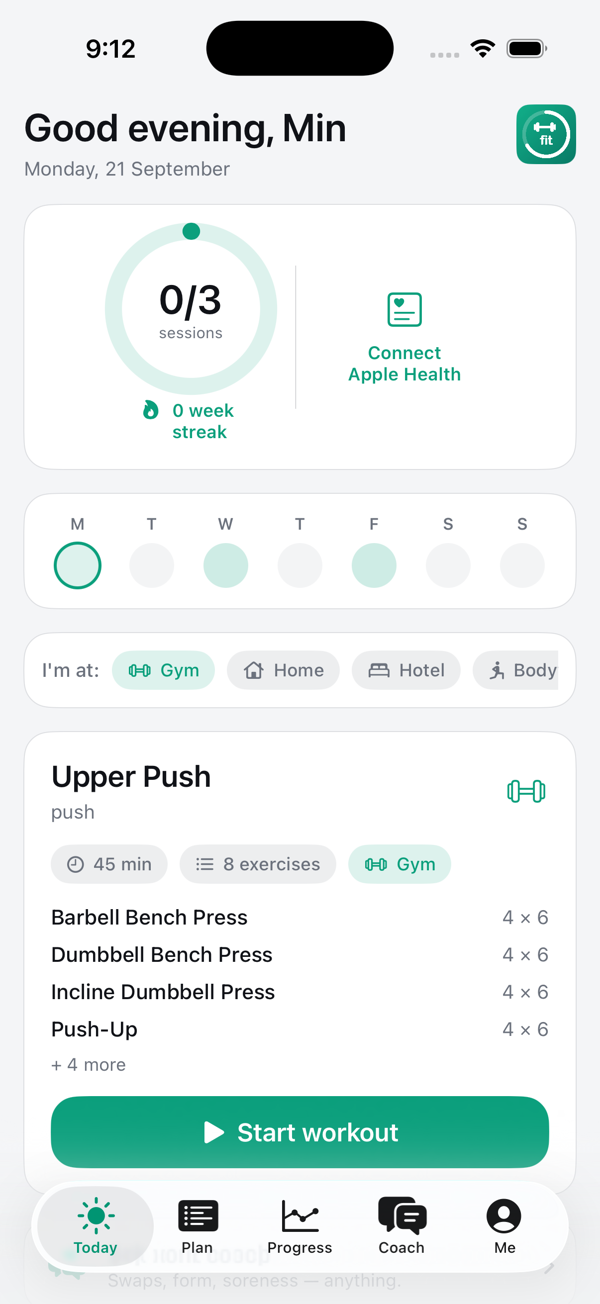
Today screen with the weekly ring and today's session
A session in the gym with your trainer, booked from the app
Trainer templates: AI-drafted and hand-built weeks

Join the beta

MinFit is in public beta on TestFlight. It takes two minutes and nothing is charged.

1. Get TestFlightInstall Apple's free TestFlight app from the App Store if you don't have it.
2. Open the beta linkOn your iPhone, open testflight.apple.com/join/2pFN42Uj and tap Install. MinFit appears on your home screen.
3. Enter your gymOpen MinFit and enter your gym's code, or scan the QR code at your gym's front desk to create your account. Your trainer confirms you and your first week appears.
4. Wear your WatchOptional, but the Watch app installs alongside and guides every set. Approve the Apple Health categories you want your trainer to see, one by one.

New to MinFit and no gym yet? Find a gym that is taking clients and send a request first.

How it works

Consistency beats intensity. MinFit is built around one weekly target your trainer sets, and it rewards showing up, whether you train at the gym, at home, or on the road.

Tell us about youGoals, time per week, injuries, and the equipment you have at the gym, at home, or in a hotel. Snap a photo and the app lists the equipment for you.
AI drafts, trainer decidesYour week is drafted from your intake or a trainer template, then your trainer reorders, adjusts sets, reps and loads, and publishes. Nothing reaches you unreviewed.
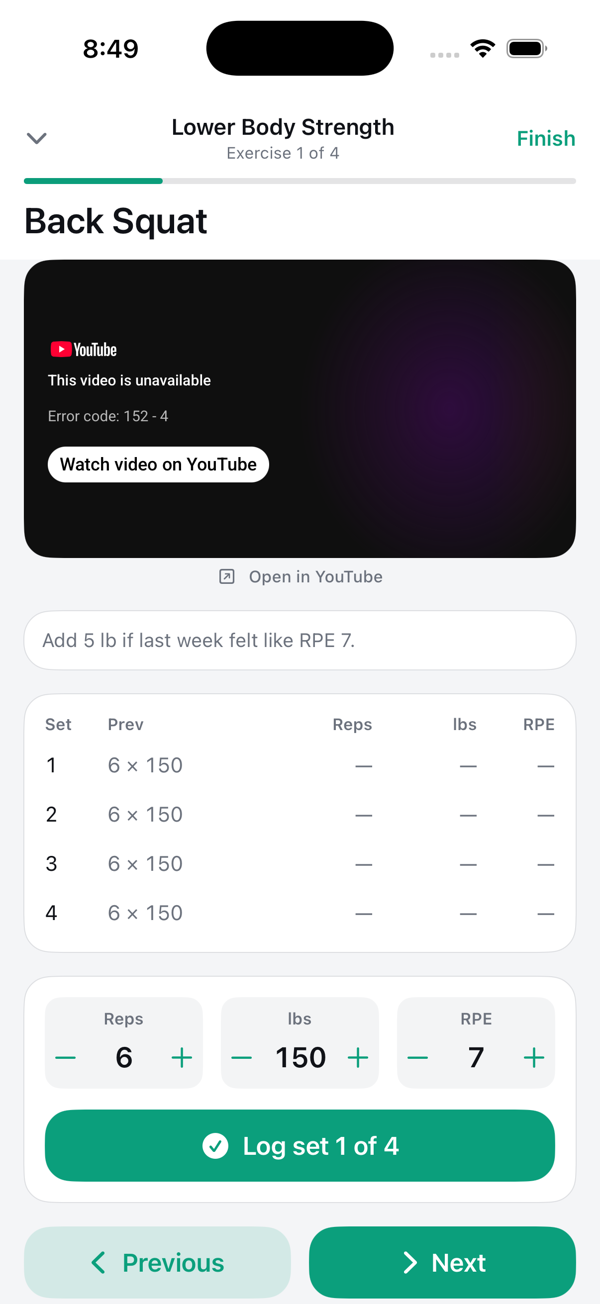
Train anywhere, with your WatchExercise by exercise, rest timers, one tap to log a set, your Apple Music playlist playing. Heart rate and calories save to Apple Fitness and close your rings.
Keep the streakA weekly ring, week streaks, milestone celebrations and daily habits. Travelling? Switch to the hotel version of your plan with one tap. Missed a day? Take the 20-minute catch-up.

What's in the app

For clients and for the trainers who coach them, on iPhone, Apple Watch and the web. The iPhone app is in beta with a few gyms; your trainer gets you access once you're accepted.

Start in plain EnglishTell the app where you are right now, in your own words. Your trainer gets a first week drafted from it before you've finished setting up.
Gym, home or travellingEvery exercise has a trainer-approved alternate for home, hotel or bodyweight. Tell the app where you are and the plan adapts.
Works without signalLog sets in a basement gym or on a plane. Everything saves on your phone and syncs when you're back. The rest timer lives in the Dynamic Island, and Siri can start today's workout.
Apple Health, both waysWeight, body fat, sleep, water, heart rate, VO₂max and more flow in automatically once you approve each category. What you log in MinFit flows back to Health.
Live sessions, in the gym or virtualBook open slots from your trainer's real availability. Virtual sessions get a Zoom link automatically; in-gym sessions show where to meet. Calendar and reminders included.
Form checksRecord a set from inside the workout. Your trainer replies with comments pinned to the exact second.
Progress you can seeWeight and resting heart rate trends, measurements filled from your scale, before-and-after photos you choose to share, and next week's loads proposed from what you actually lifted.
Daily habits and check-insSteps, water, sleep and your own habits, ticked in a second. A two-minute check-in on Sunday that your trainer actually reads.
An AI coach that knows your planInstant answers about time, swaps and form. Anything about pain goes straight to your trainer.
Music for every sessionPlay your Apple Music playlist during workouts, or let MinFit build one for the session.
Optional leaderboardIf your gym turns it on, join with an alias. No real names, ever.
Report a problem in one tapSomething off? Send a note with the app's own activity log and we can see exactly what happened.

For trainers and gyms

MinFit is multi-gym. Your clients see your name, logo and colours the moment they enter your gym code, and your Zoom account hosts your sessions.

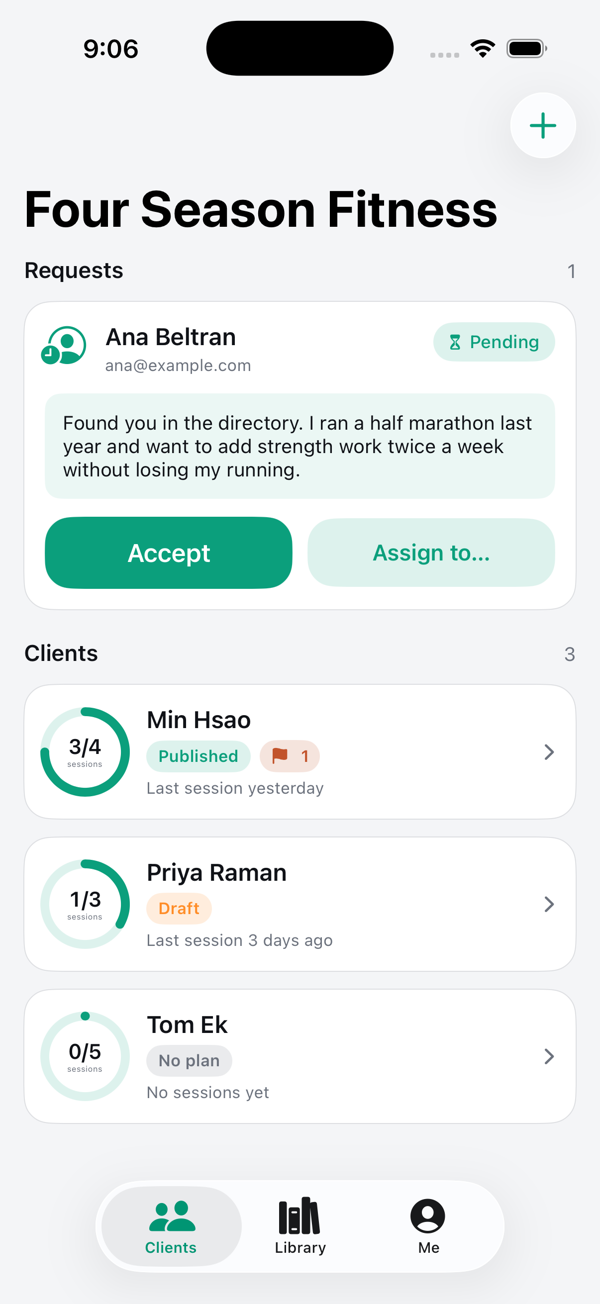
A QR code on the wallNew members scan your gym's code, create their own account with their phone and email, and land in your Requests with a first week already drafted. Accept in one tap. Cap it, expire it, or make a new one any time.
Templates and AI draftsSave a week as a template or let the AI draft one from a brief, apply it to any client, then personalise. Drag to reorder, type to add exercises.
Your library, your videosEvery exercise starts with a public tutorial that plays inside the app. Replace any of them with your own branded clip from your phone.
See the whole pictureWith client consent: weight, body composition, vitals, sleep, nutrition, workouts and heart-rate recovery, next to their logged sets, check-ins, form checks and shared photos.
Availability and bookingsSet your weekly windows; your iPhone calendar's busy times are respected automatically. Clients book themselves; bookings land in your calendar.
Progression and replies, draftedNext week's loads proposed from logged sets and effort. Check-in replies drafted for you to edit. Review, adjust, publish.
Your public profileHeadline, bio, specialties and a photo, so new clients can pick you when they sign up.
Runs your gymInvite trainers and admins, find any client in a second, set a default trainer, AI credits per gym, backups with one-click restore, on the web and in the app.

Privacy

Apple Health data stays on your phone unless you choose to share it. You approve each category separately and can turn any of them off at any time. Only daily summaries and per-workout stats are ever sent, never raw heart-rate streams. Your trainer sees what you share and nothing more.